
How to Search for a Marion County Warrant
There is no complete Marion County warrant index to query. The county links a current-inmate roster for booking and custody context, and Ore City has a city-only current-list page. Jefferson, Avinger, JP1, JP2, and district matters require the court or clerk that holds the case. The Sheriff’s general line is a routing contact, not a dedicated warrant-confirmation number.
Have the name shown on the citation or notice, plus any court, citation, case, or docket number. Ask the clerk whether the record is a warrant, capias, capias pro fine, or separate FTA/FTP report. If the issue could lead to arrest or involves a serious charge, speak with a Texas attorney before appearing.
- Identify the issuing court from the citation, notice, or case paperwork.
- Use the Sheriff-linked roster only to check its current-inmate, recent-arrest, and booking views.
- For Ore City, review the current-list notice and call its court to confirm an entry.
- Call the appropriate city, JP, County, or District Clerk when no public warrant field exists.
- Use DPS for its separate FTA/FTP compliance question, not as a warrant search; it cannot confirm outstanding warrants.
No Statewide Marion County Warrant Search
Texas DPS describes Failure to Appear/Failure to Pay reporting and the license-renewal effects that can follow a court report. Its FAQ says DPS specialists cannot confirm whether an outstanding warrant exists. The issuing city or county court remains the source for that status.
The DPS FAQ points people back to the court. The Office of Court Administration directory can help identify an office, but it is not a case lookup. Neither route replaces a clerk’s confirmation.
Marion County Warrant Search Fields
The main public interface in Marion County is a custody roster, not a warrant search form. The roster’s blank screen shows one optional name filter; no date-of-birth, court, or warrant-number control was observed. Other routes expose no public search fields on their landing pages.
| Field Label | Type | Required | Notes |
|---|---|---|---|
| Marion roster name filter | Optional text | No | Label reads “Filter By Inmate Name (Optional).” Match rules are not published. |
| Roster tabs | View selector | No | Current Inmates, 24 Hours Arrests, and Inmates by Arrest Date. |
| Warrant number | Not observed | Not applicable | No warrant-number search box appeared on the inspected roster screen. |
| Ore City list | Linked sheet | Unknown | No search field appeared on the landing page; spreadsheet controls were not verified. |
| City / JP court pages | Contact route | Not applicable | Jefferson and JP pages provide clerk or payment details, not a public warrant query. |
Marion Roster Filters Booking Records
The InteropWeb interface has three separate views, but all are about inmates or recent arrests. The optional name field filters that interface; the research found no official rule for partial names, common-name matching, or date-of-birth disambiguation. Do not assume its results include unbooked warrants.
The blank-control image below shows the interface without a person’s row. A result table may display Name, status, Arrest Date, agency, Days in Jail, Total Bond, and warrant-linked fields. These labels describe the roster’s booking schema, not a complete court file.
View the roster interface and use it for custody context.
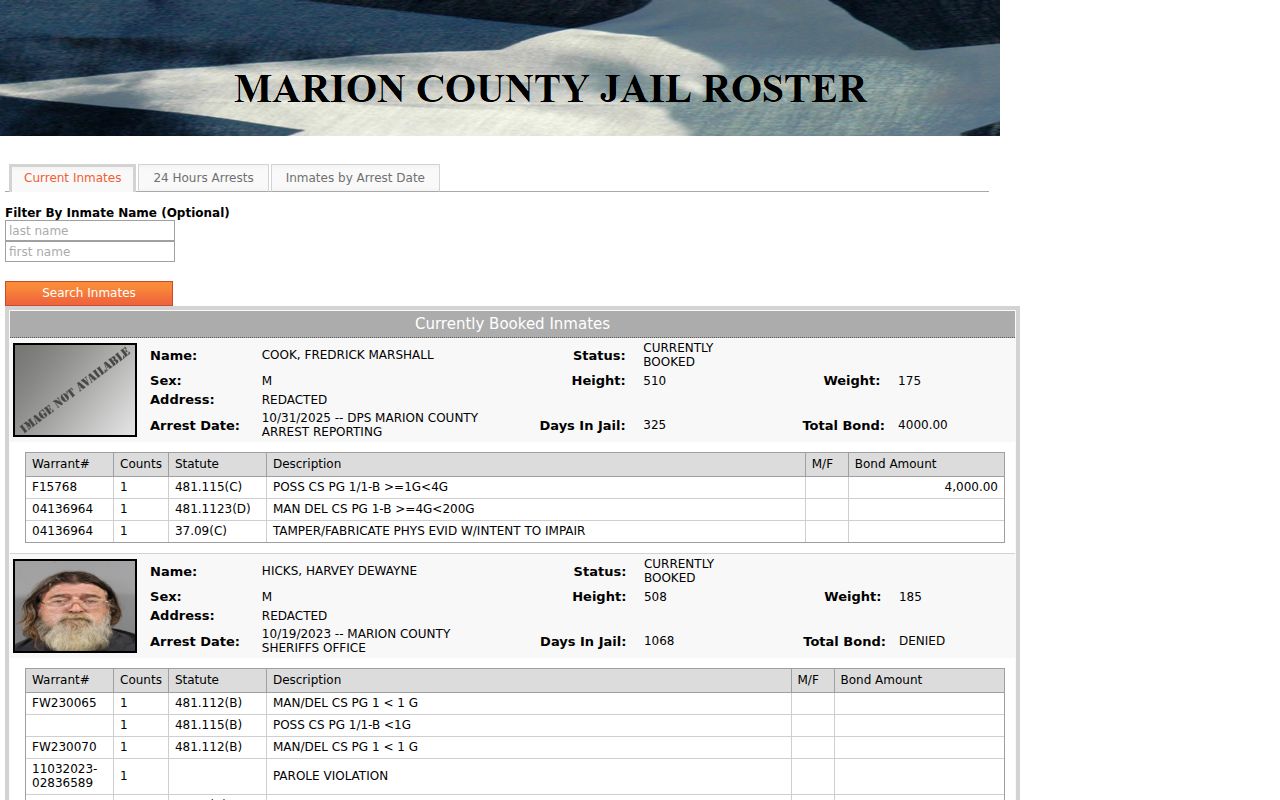
After a roster result, ask the named court about process, current status, and the next step.
What a Warrant Search Returns
A roster result can join booking details to a warrant-linked table. It is not a standalone warrant record, and a displayed bond figure is not necessarily a fine balance or the current order. Marion County has not published a warrant-number format or sample row for public reuse.
| Warrant number | Format not published No county format guide was found. |
|---|---|
| Counts / statute | Roster columns attached to a booking row; ask the issuing clerk to explain the case entry. |
| Description | Short text label for the linked process; it is not a court finding. |
| Issuing court | Check the citation or case paper, or ask the clerk which court holds it. |
| Bond amount | Custody display field. Confirm amount and payment instructions with the court or jail. |
| Status | Confirm current active, served, recalled, or cleared status directly with the issuing office. |
Match the Case to the Marion Court
Use the case level, not the person’s home address, to pick a clerk. The 115th and 276th District Courts route criminal files through the District Clerk; county-court records go through the County Clerk; JP and municipal courts keep their own fine-only and city files.
The OCA directory helps confirm court identity. Marion County’s JP2 information differs between the county page and the newer directory, so verify its current judge and location by phone before a trip. The directory is an office locator, not a warrant result screen.
The county Justice page lists JP1 and JP2 contact routes. For a city citation, use the city named on the ticket.
Where Marion County Warrants Are Checked
The court that issues process controls the case status. A city warrant starts with that municipal court; a JP matter starts with its precinct; felony criminal files point to the District Clerk. The Sheriff can route a custody question but does not replace any of those clerks.
Marion County has no one public statewide or countywide warrant search. Federal matters use a separate court system. If the court is unclear, the District Clerk and County Clerk can help identify which record office is relevant.
A No-Result Search Is Not Clearance
A public screen can miss a matter because it is outside that office’s coverage, not yet updated, sealed, juvenile, or held in another jurisdiction. Ore City’s posted list warns that payment removal may lag. The Marion roster does not publish a full-list guarantee. These are coverage limits, not proof that a court has no open process.
Write down the date and channel used, then call the issuing clerk. Ask if the case has a warrant, capias, or FTA/FTP report and whether a written recall or reset is needed. DPS handles the separate compliance report; it does not certify county warrant status.
Marion County Warrant Access Limits
Texas public-information law generally covers existing government records but includes exceptions. Juvenile files have special limits, and sealed, expunged, grand-jury, protected-victim, or active-investigation material may not be open. A public docket may also omit documents that are not available for general inspection.
Key Rules:
Texas Government Code Chapter 552 sets the public-access rule and law-enforcement exceptions.
Texas Family Code Chapter 58 limits access to juvenile records.
A blank online result does not show that a sealed, unserved, or separately held warrant is absent.
Marion County Warrant Search Policy Requests
A Texas Public Information Act request can seek existing procedures without asking an office to create a live list of named people. Useful records include the Sheriff’s warrant-confirmation policy, a fee schedule, roster-field definitions, a non-identifying update schedule, or aggregate counts by court and date range.
The Texas Attorney General explains that a request should identify the existing record and preferred delivery. If a request needs more than ten business days, the body should provide a reasonable availability date under the guidance. No Marion County Sheriff warrant-request form or dedicated email was found.
Read the Attorney General’s request instructions.
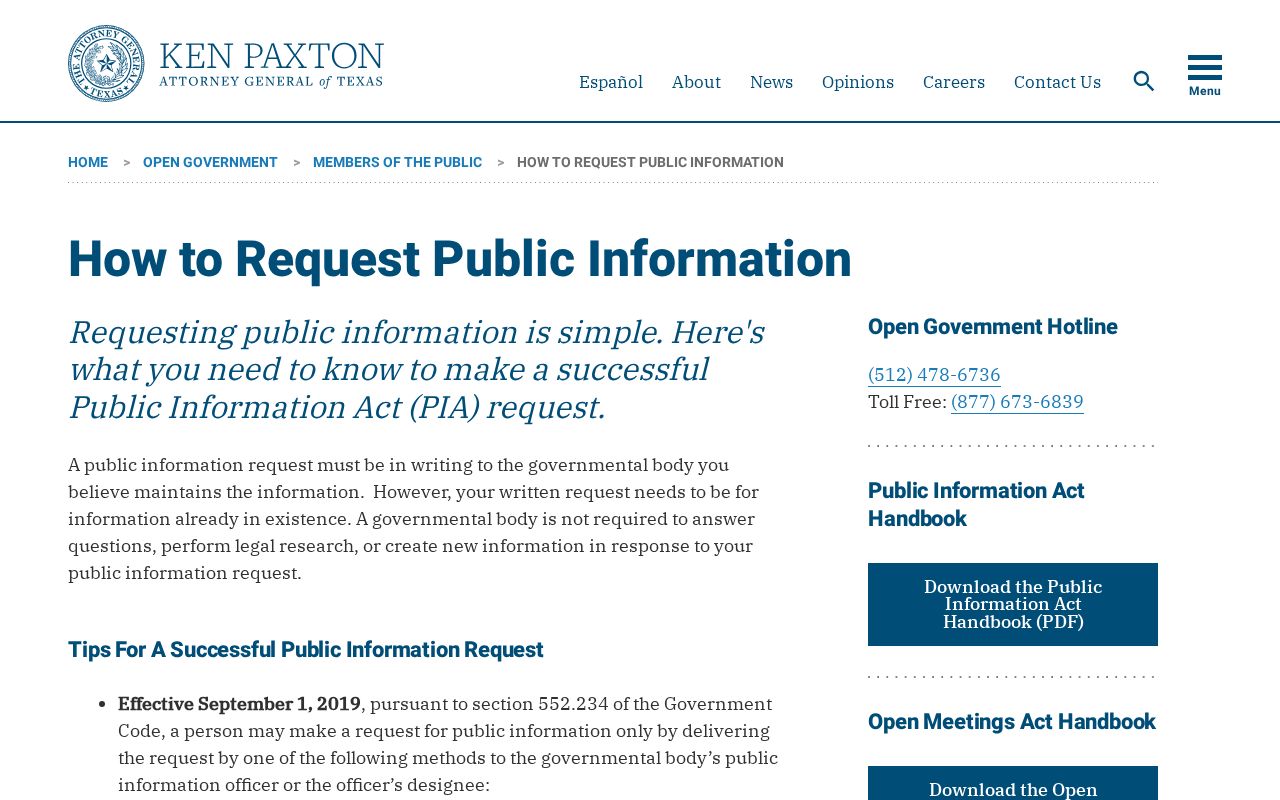
Ask for non-exempt process records, not private-person rows. Read Texas Government Code Chapter 552 before using the access diagram below. A request does not replace a clerk’s answer about an individual case.
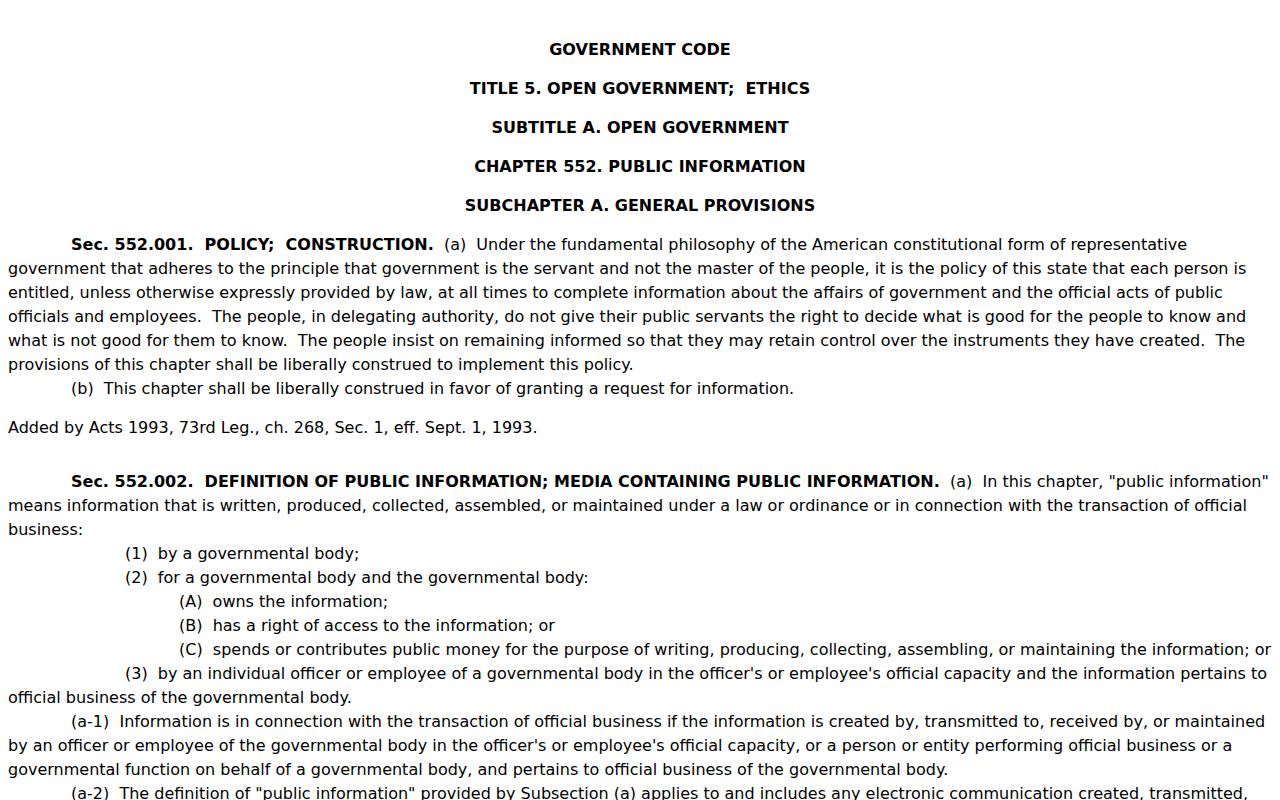
Chapter 552’s access rule and exceptions frame the request, but the law does not make every warrant document public.